What My Words does
My Words is the picture-based communication space in Fave Bridge. It lets a child choose picture words, compose a phrase and hear recorded English speech. Parents can turn My Words on or off in Learning supports. Its picture vocabulary is provided by the platform
AAC stands for augmentative and alternative communication. ASHA describes AAC as including a range of ways to communicate alongside or instead of speech. A picture-based feature is one part of that broader landscape
Find the communication space
Open the learning platform and choose My Words from its navigation. You can explore the guest space before creating an account. A link labeled Try the games opens the guest starting screen, not a preselected conversation
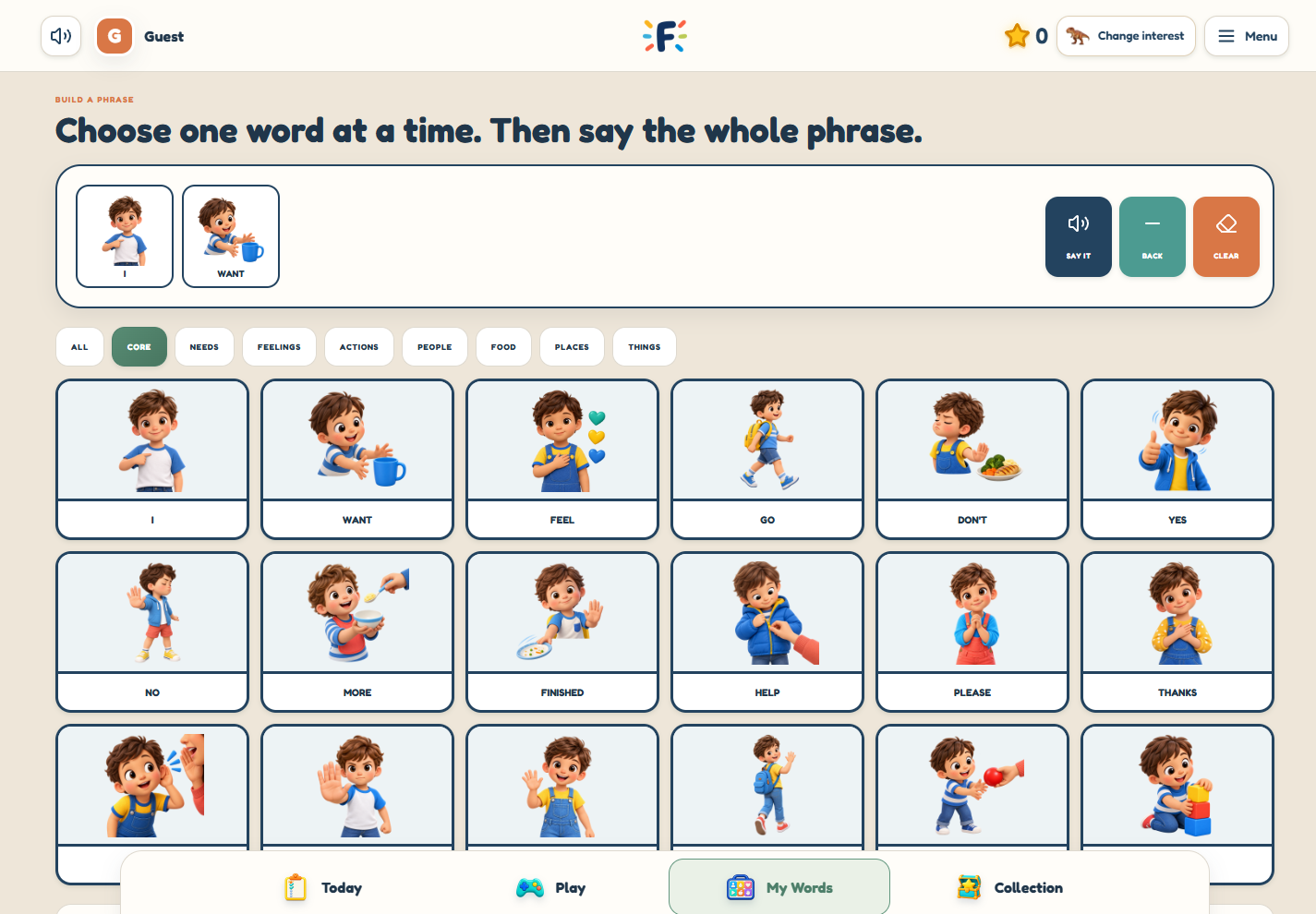
Look through the available picture words together. The feature is organized around recognizable words and categories; it does not generate an open-ended conversation like a chatbot
Explore a phrase together
Choose the pictures you want to use, look at the composed phrase and use the playback control to hear it. Follow the controls visible in the communication screen to change your selection
Leave room for the person to choose their own message. An example on a website should not be treated as the only correct thing to communicate. Their existing ways of expressing themselves still matter
Understand the boundaries
My Words uses authored picture vocabulary and recorded English. It is not an assessment, an individualized communication plan or a replacement for an established communication system
A qualified speech-language professional can help with individual AAC decisions. The source linked below provides general background; it is not an endorsement of Fave Bridge
How it fits a family plan
The communication area is separate from the seven learning areas. It remains available separately. A parent can also add it to a custom plan, while automatic plans contain games only
Guest play remains temporary. If you want saved learning, create a family account and complete the emailed permission setup. Optional family game-usage sharing is a separate choice and starts off
A first look at the controls
- Open My Words from the platform navigation
- Browse the available picture words and categories
- Choose words and use the phrase playback control
- Follow the visible controls to change or clear the phrase
Sources & further reading
Published by Fave Bridge about its own product. External sources do not imply endorsement. Our editorial approach